
Parimatch Mobile App: Betting on Android, iPhone, and Mobile Web
Most sports betting now happens on phones. People check odds during a commute, follow live games from the couch, place a small pre-match bet before puck drop, or cash out while watching the final minutes of a match.
That makes the mobile experience important. A sportsbook can look good on desktop, but if the mobile app is slow, hard to install, or awkward during live betting, it will frustrate users quickly.
This page explains how the Parimatch mobile experience works for Canadian users: Android APK installation, iPhone access, the mobile web version, app features, live betting, payments, notifications, updates, security, and safer mobile betting habits.
For live betting features, see our live betting guide. For mobile deposits and withdrawals, see the payment options guide.
Important: Parimatch operates as an offshore sportsbook under Curaçao licence OGL/2024/402/0624. Availability depends on the player’s province or territory and local rules. This page is informational only and does not provide legal or financial advice.
Quick Summary
| Mobile Topic | What Canadian Users Should Know |
|---|---|
| Android app | May require APK download from the official Parimatch site |
| Google Play | Real-money gambling apps may not be available through Play Store |
| iPhone access | May use iOS app where available or web app through Safari |
| Mobile web | Works through browser without installation |
| Live betting | Available on mobile with odds updates and bet slip |
| Payments | Deposits, withdrawals, and verification may be handled on mobile |
| Notifications | Android app may support bet alerts and promotions |
| Security | Use biometric login, strong password, and official downloads only |
| Key caution | Mobile betting is convenient, so deposit and time limits matter |
The best mobile setup is the one that is secure, stable, and does not make betting feel too impulsive.
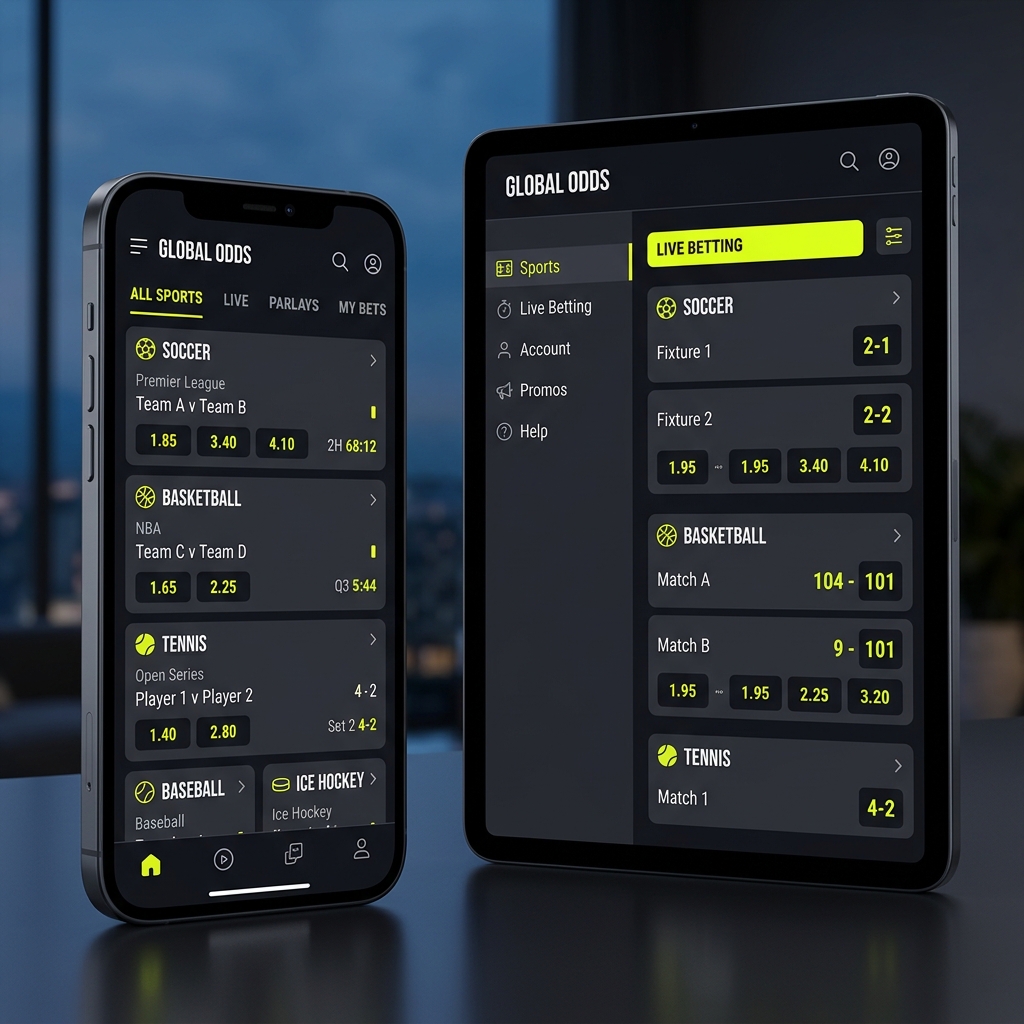
Sportsbook odds catalog interface displayed across smartphone and tablet responsive mockups.
Mobile App vs Mobile Website
Parimatch can usually be accessed through a mobile app, mobile browser, or web-app-style shortcut, depending on device and region.
The betting markets and account features are generally similar across mobile formats. The main differences are speed, notifications, login convenience, storage, and installation process.
| Feature | Native App / APK | Mobile Website |
|---|---|---|
| Installation | Required | Not required |
| Access | App icon on phone | Browser URL or bookmark |
| Speed | Often faster after loading | Depends on browser and connection |
| Updates | Manual or prompted on Android APK | Automatic through website |
| Notifications | Better support, especially Android | Limited or browser-dependent |
| Storage | Uses phone storage | Minimal storage |
| Security risk | APK must come from official source | Lower installation risk |
| Best for | Frequent users | Casual or cautious users |
If you do not want to install an APK, the mobile website is usually the simpler option. If you bet often and want faster access, the app may feel smoother.
How to Download the Parimatch App on Android
The Parimatch Android app may not be available through Google Play. In many regions, real-money gambling apps are restricted or unavailable in the Play Store, so users may need to install the app through an APK file.
Only download an APK from the official Parimatch website. Avoid third-party APK libraries, file-sharing links, Telegram groups, or mirror websites.
Android APK Installation Steps
| Step | What to Do |
|---|---|
| 1 | Open the official Parimatch website in your mobile browser |
| 2 | Find the mobile app or Android download section |
| 3 | Download the Android APK file |
| 4 | Allow installation from this source if your phone asks |
| 5 | Open the downloaded APK and install it |
| 6 | Launch the app and log in or register |
| 7 | Turn off unknown-source installation again after setup |
On newer Android devices, you usually allow installation only for the browser you used to download the APK. That is safer than enabling broad “unknown sources” access.
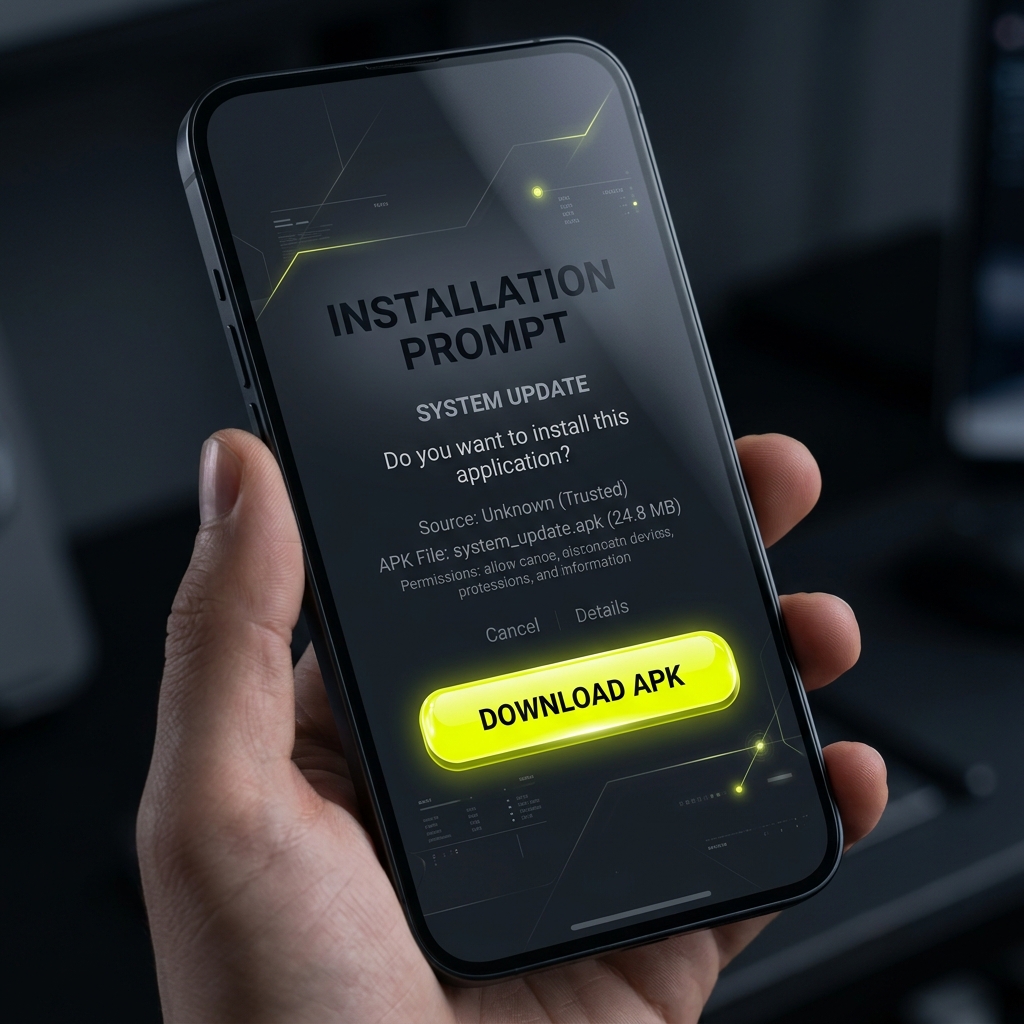
Android package installer interface showcasing step-by-step app setup procedure.
Android APK Safety Tips
Installing an APK is normal for apps that are not distributed through Google Play, but it comes with extra responsibility.
Use these precautions:
- download only from the official Parimatch site;
- check that the website URL is correct;
- do not install APKs sent by strangers;
- avoid “modded” or “premium unlocked” versions;
- keep your phone operating system updated;
- disable unknown-source installation after setup;
- update the app when prompted;
- use biometric login if available.
| Safety Check | Why It Matters |
|---|---|
| Official source only | Reduces malware risk |
| Correct URL | Avoids phishing copies |
| No third-party APKs | Prevents modified apps |
| Disable unknown sources | Blocks unwanted future installs |
| Update regularly | Keeps security patches current |
| Strong login | Protects account balance and personal data |
If you are uncomfortable installing an APK, use the mobile web version instead.
Parimatch on iPhone and iPad
iPhone users may access Parimatch through a native iOS app where available or through the mobile website.
In some regions, real-money gambling apps may not appear in the App Store. In that case, the practical alternative is a progressive web app, often called a PWA.
A PWA is basically the website saved to your home screen. It opens like an app and can feel similar to a native app, but it runs through Safari.
How to Add Parimatch to iPhone Home Screen
| Step | What to Do |
|---|---|
| 1 | Open the Parimatch website in Safari |
| 2 | Tap the Share button |
| 3 | Choose “Add to Home Screen” |
| 4 | Confirm the name, such as “Parimatch” |
| 5 | Tap Add |
| 6 | Open it from your home screen like an app |
This method does not require installing an APK or downloading anything outside Apple’s normal browser environment.
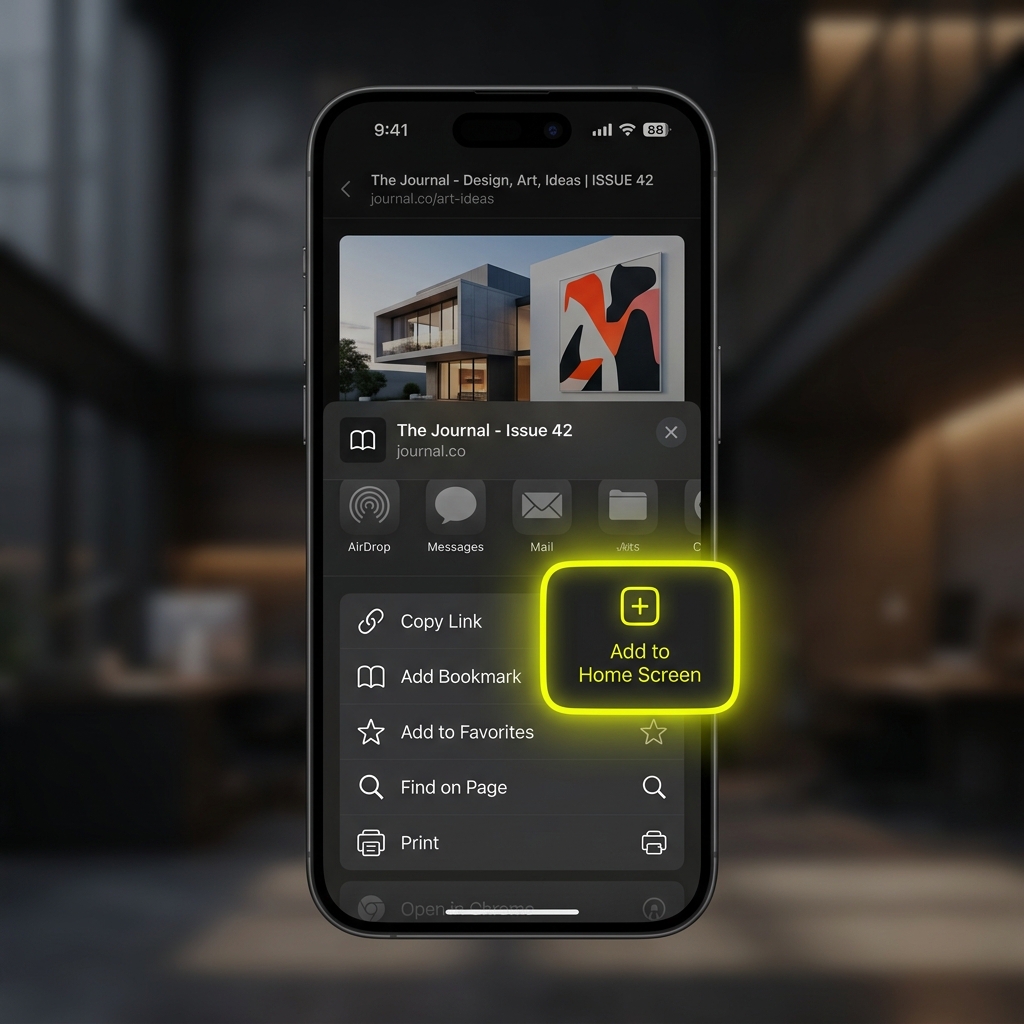
iOS progressive web app shortcut creation flow inside Safari mobile browser.
iOS App vs iOS Web App
| Feature | Native iOS App | iOS Web App / Safari |
|---|---|---|
| App Store download | Only if available in your region | Not needed |
| Home screen icon | Yes | Yes |
| Automatic updates | Through App Store | Website updates automatically |
| Push notifications | Usually better if native app exists | Limited or device-dependent |
| Storage use | App storage required | Minimal |
| Installation risk | Low through App Store | Low through Safari |
| Best for | Users with app access | Most users where app is unavailable |
For many iPhone users, the web app is the simplest and safest approach.
Keeping the App Updated
App updates matter because they can include security patches, bug fixes, odds-feed improvements, payment fixes, and login improvements.
Android APK updates may not happen automatically through the Play Store. The app may show a prompt when a new version is available. Users may need to download and install the latest APK over the old version.
The mobile website and iOS web app usually update automatically because they load from the live website.
| Platform | Update Method |
|---|---|
| Android APK | In-app prompt or new APK from official site |
| iOS native app | App Store update, if available |
| iOS web app | Updates automatically through website |
| Mobile browser | Updates automatically through website |
If the app becomes slow, crashes, or shows outdated markets, check whether an update is available.
Mobile Betting Experience
A good mobile betting interface should make common tasks easy without making betting careless.
On mobile, users should be able to:
- browse sports and leagues;
- search for teams or events;
- add selections to the bet slip;
- place singles and parlays;
- manage open bets;
- check settled bets;
- use Cash Out where available;
- deposit or request withdrawals;
- upload verification documents.
| Mobile Feature | Why It Matters |
|---|---|
| Search | Helps find teams quickly |
| Favourites | Speeds up access to preferred leagues |
| Bet slip | Makes stake and odds clear |
| My Bets | Tracks open and settled wagers |
| Cash Out | Allows early settlement where offered |
| Live section | Supports in-play betting |
| Payments | Lets users manage funds on phone |
| Verification upload | Makes KYC easier |
The interface should be fast, but users should still take a moment to check odds, stake, and bet type before confirming.
Placing Bets on Mobile
Placing a mobile bet usually follows a simple flow:
- Choose a sport or league.
- Select an event.
- Tap the odds for your selection.
- Review the bet slip.
- Enter your stake.
- Confirm the bet.
| Bet Slip Item | What to Check Before Confirming |
|---|---|
| Selection | Correct team, player, or outcome |
| Market | Moneyline, spread, total, prop, etc. |
| Odds | Price has not changed unexpectedly |
| Stake | Amount is correct |
| Bet type | Single, parlay, or system |
| Potential return | Understand profit vs total payout |
| Bonus use | Check if bonus funds are involved |
Mobile betting can be quick, but speed is not always a benefit. Accidental wagers and rushed decisions are more common on smaller screens.
Live Betting on Mobile
Live betting is one of the main reasons users prefer mobile access. Odds can change quickly during a match, so a stable app or browser experience matters.
Mobile live betting may include:
- real-time odds updates;
- live match trackers;
- scoreboards;
- in-play statistics;
- Cash Out where available;
- one-click or quick bet features;
- live bet slip updates.
| Live Betting Feature | Mobile Benefit | Caution |
|---|---|---|
| Odds updates | React quickly during games | Odds may move before confirmation |
| Match tracker | Follow events without broadcast | Tracker can lag behind real play |
| Cash Out | Lock in result early | Value may be lower than expected |
| Quick Bet | Faster bet placement | Higher risk of impulsive bets |
| Live stats | More context | Stats do not guarantee outcomes |
For a deeper explanation of in-play markets and risks, see the in-play betting page.
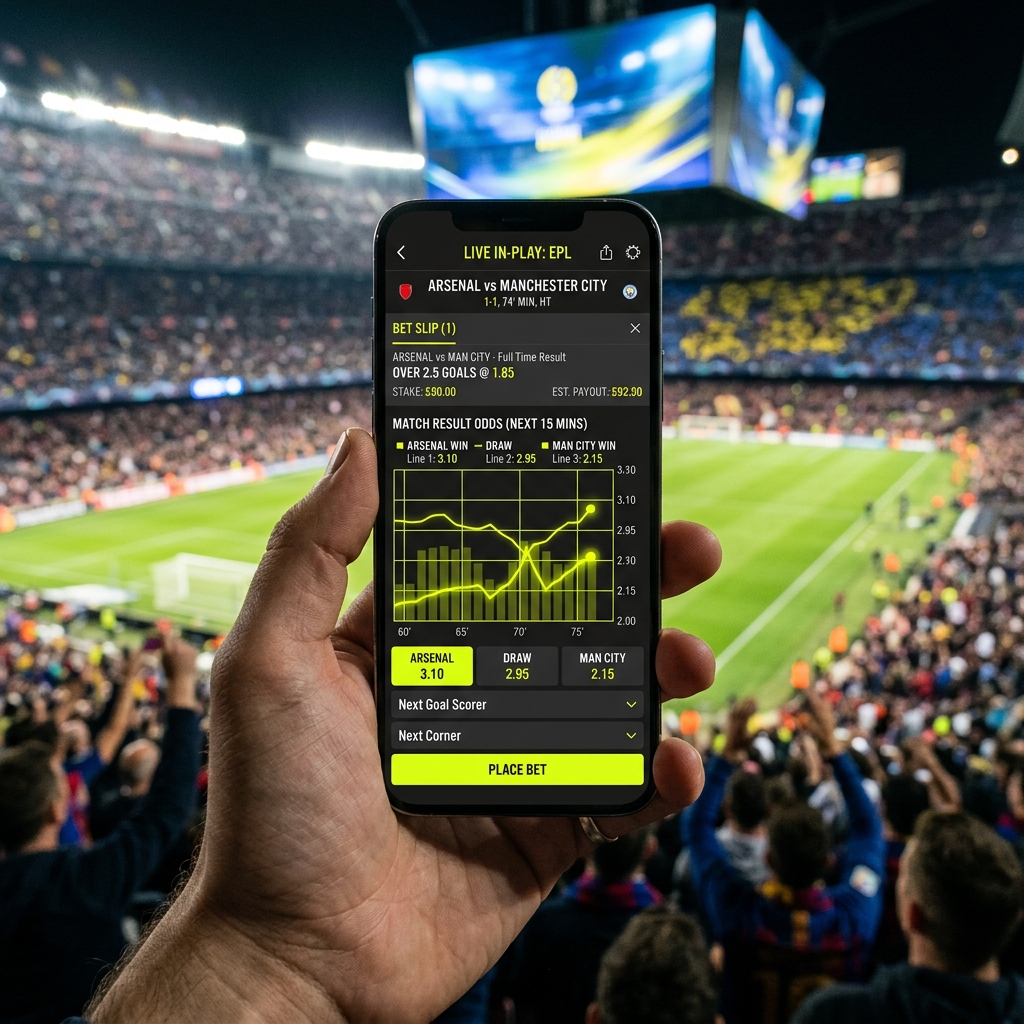
Real-time live in-play sports betting dashboard running on mobile app during live match.
Mobile Deposits and Withdrawals
Payments are usually available through the mobile app or mobile website. This can make deposits convenient, especially with Interac or e-wallets.
Common mobile payment tasks include:
- making a deposit;
- requesting a withdrawal;
- checking transaction history;
- uploading KYC documents;
- verifying a payment method;
- contacting support about payment delays.
| Mobile Payment Task | Practical Note |
|---|---|
| Interac deposit | May redirect to banking app or browser |
| Card deposit | Bank approval may still be required |
| E-wallet deposit | May open provider login |
| Crypto deposit | Wallet address must be copied carefully |
| Withdrawal request | KYC may be required first |
| Document upload | Phone camera can be used for ID photos |
For full payment details, see our deposit and withdrawal guide.
Uploading Verification Documents on Mobile
Mobile verification can be easier than desktop because you can photograph documents directly with your phone.
Parimatch may ask for:
- government-issued photo ID;
- proof of address;
- proof of payment method;
- selfie or face check;
- additional documents for large withdrawals.
| Document | Mobile Upload Tip |
|---|---|
| Passport or ID | Use good lighting and avoid glare |
| Driver’s licence | Capture all corners clearly |
| Proof of address | Make sure name, date, and address are visible |
| Card proof | Hide middle digits; show name and last four if requested |
| E-wallet proof | Upload screenshot from account page |
| Selfie check | Follow on-screen instructions carefully |
Blurry uploads are one of the easiest ways to delay a withdrawal.
Notifications and Alerts
Notifications can be useful, but they can also pull users back into betting more often than planned.
The Android app may support push notifications for:
- bet settlement;
- score updates;
- Cash Out availability;
- odds boosts;
- new promotions;
- account and security alerts.
| Notification Type | Useful For | Possible Downside |
|---|---|---|
| Bet settlement | Knowing when a bet is resolved | Can encourage immediate re-betting |
| Score alerts | Following games | May increase live-betting impulse |
| Cash Out alerts | Timing decisions | Can create pressure |
| Promo alerts | Finding offers | May encourage deposits |
| Security alerts | Account protection | Generally useful |
A balanced setup is to keep account and bet-status notifications on while turning off promotional alerts if they make you bet more often.
Favourites and Personalization
Favourites can help users find preferred teams, leagues, and markets faster.
For example, a hockey bettor might favourite NHL, specific Canadian teams, or player prop markets. A soccer bettor might favourite leagues followed regularly.
| Personalization Feature | Benefit |
|---|---|
| Favourite teams | Faster access to upcoming games |
| Favourite leagues | Less scrolling |
| Recent bets | Easier repeat navigation |
| Default stake | Faster bet slip entry |
| Market preferences | Cleaner betting screen |
| Notifications | Alerts for selected events |
Default stakes and quick-bet tools should be used carefully. They save time, but they also reduce friction, which can increase impulsive betting.
Quick Bet and One-Click Betting
Quick Bet or one-click betting allows users to place wagers with fewer confirmation steps. This is useful for live betting, where odds may change quickly.
But it also increases risk.
| Quick Bet Benefit | Quick Bet Risk |
|---|---|
| Faster live bets | Less time to review stake |
| Fewer taps | More accidental wagers |
| Useful on moving odds | Encourages impulse betting |
| Convenient for experienced users | Not ideal for beginners |
If you use Quick Bet, consider setting a low default stake and reviewing your wagers history regularly.
Device Compatibility
The Parimatch mobile experience depends on device age, operating system, browser, and internet connection.
Typical requirements may include:
| Device Type | Typical Requirement |
|---|---|
| Android | Android 6.0 or newer may be required |
| iPhone | iOS 14 or newer may be recommended |
| iPad | Safari or supported browser |
| Browser | Updated Chrome, Safari, Firefox, or Samsung Internet |
| Storage | Android APK may require around 50–80 MB |
| Connection | Stable mobile data or Wi-Fi |
Older phones may still load the mobile website, but live betting can feel slower because odds and match data update frequently.
App Performance and Battery Use
Live betting uses more battery and data than simple pre-match browsing because the app constantly refreshes odds, scores, and event data.
| Activity | Battery/Data Impact |
|---|---|
| Checking pre-match odds | Low |
| Browsing promotions | Low |
| Live betting | Medium to high |
| Watching embedded streams, if available | High |
| Push notifications | Low |
| Uploading documents | Medium |
To improve performance:
- keep the app updated;
- close unused background apps;
- use stable Wi-Fi where possible;
- reduce screen brightness;
- clear browser cache if mobile web is slow;
- avoid live betting on a weak connection.
If odds freeze or the app lags, do not keep tapping. Wait for the screen to update before placing a bet.
Biometric Login and Account Security
Biometric login can make access faster while protecting the account from casual misuse.
Depending on device and app support, users may be able to use:
- fingerprint login;
- Face ID;
- Touch ID;
- device passcode confirmation.
| Security Feature | Why It Helps |
|---|---|
| Biometric login | Faster and safer than repeated password entry |
| Strong password | Protects against account takeover |
| 2FA if available | Adds another login barrier |
| Auto-lock | Protects if phone is lost |
| Official app only | Reduces phishing risk |
| Logout on shared devices | Prevents unauthorized access |
Do not save passwords on shared phones or devices used by other people.
Mobile Betting Safety
Mobile betting is convenient, but that convenience can be risky. When a sportsbook is always in your pocket, it becomes easier to deposit again, chase a loss, or place a rushed live bet.
Safer mobile habits include:
- setting deposit limits before using the app;
- turning off promotional notifications;
- avoiding betting while emotional or distracted;
- not betting while driving;
- checking stake size before confirming;
- taking wagers breaks during live games;
- avoiding repeated deposits after losses;
- using app time limits if needed.
| Risky Mobile Behaviour | Safer Alternative |
|---|---|
| Betting during every game | Choose events in advance |
| Chasing after a bad beat | Pause and review later |
| Re-depositing from phone quickly | Set deposit limits |
| Using Quick Bet with high stakes | Use small default stake |
| Betting while distracted | Wait until you can review the slip |
| Keeping promo alerts on | Disable promotional notifications |
The app should make access easier, not make betting harder to control.
Responsible Gambling Resources
Betting should be treated as entertainment, not a way to make money. If mobile access makes it harder to stop, reduce access or take a break.
Warning signs include:
- hiding betting activity;
- betting longer than planned;
- depositing repeatedly from your phone;
- trying to win back losses;
- feeling anxious when unable to bet;
- ignoring work, school, family, or finances;
- cancelling withdrawals to keep betting.
Canadian support resources include:
- ConnexOntario: 1-866-531-2600
- Gambling Support BC: 1-888-795-6111
- Gamblers Anonymous Canada: www.gacanada.ca
- Canadian Centre on Substance Use and Addiction: www.ccsa.ca
FAQ
Q: Can I download the Parimatch app from Google Play?
A: The Android app may not be available through Google Play because real-money gambling apps are restricted in many regions. Users may need to download the APK from the official Parimatch website.
Q: Is the Parimatch APK safe?
A: It is safer only if downloaded directly from the official Parimatch website. Do not install APK files from third-party sites, shared links, or unofficial mirrors.
Q: How do I install the Parimatch APK on Android?
A: Download the APK from the official site, allow installation from that browser source, install the file, then disable unknown-source installation again after setup.
Q: Is there a Parimatch iPhone app?
A: Availability of a native iOS app can vary by region. If no App Store app is available, users may access Parimatch through Safari and add the site to the home screen as a web app.
Q: Does the mobile website have the same betting markets?
A: In most cases, the mobile website offers the same sports, odds, bet slip, live betting, and account features as the desktop version.
Q: Can I deposit and withdraw from the mobile app?
A: Yes, payment functions may be available on mobile. Users can often deposit, request withdrawals, upload documents, and check transaction history from the app or mobile website.
Q: Does the app support live betting?
A: Yes, mobile live betting may include real-time odds, match trackers, score updates, Cash Out, and quick bet features where available.
Q: Can I use Face ID or fingerprint login?
A: Biometric login may be available on supported devices, depending on the app version and phone settings.
Q: How do I update the Android app?
A: Since APK apps may not update through Google Play, users may receive an in-app prompt or need to download the latest APK from the official Parimatch website.
Q: Why is the app slow during live betting?
A: Live betting requires frequent odds and score updates. A weak connection, older device, outdated app, or heavy background app use can slow performance.
Q: Should I enable betting notifications?
A: Bet settlement and security alerts can be useful. Promotional alerts should be used carefully because they may encourage more frequent betting.
Q: Is mobile betting riskier than desktop betting?
A: It can be, because access is faster and always available. Setting limits, disabling promo alerts, and avoiding rushed live bets can help reduce risk.
Q: Is Parimatch provincially regulated in Canada?
A: No. Parimatch operates under Curaçao licence OGL/2024/402/0624 and is not provincially regulated in Canada.
REGULATORY DISCLOSURE: Parimatch operates under licence OGL/2024/402/0624 issued by the Curaçao Gaming Authority. Parimatch is not licensed by Canadian provincial regulators and is not available in jurisdictions where such operation is restricted, including Ontario, where online gambling operators must be licensed by the Alcohol and Gaming Commission of Ontario (AGCO) and registered with iGaming Ontario. Players are responsible for verifying the legality of online gambling in their province or territory before registering. This website provides information only and does not constitute legal advice.